


How Health-Checked DNS Failover Works
Health-checked DNS regularly checks the server a record points to and switches the record to a backup IP address when that server stops responding. On Gyro DNS this is available as the “health-checked record” add-on. Here is how it works, where it helps and where it does not.
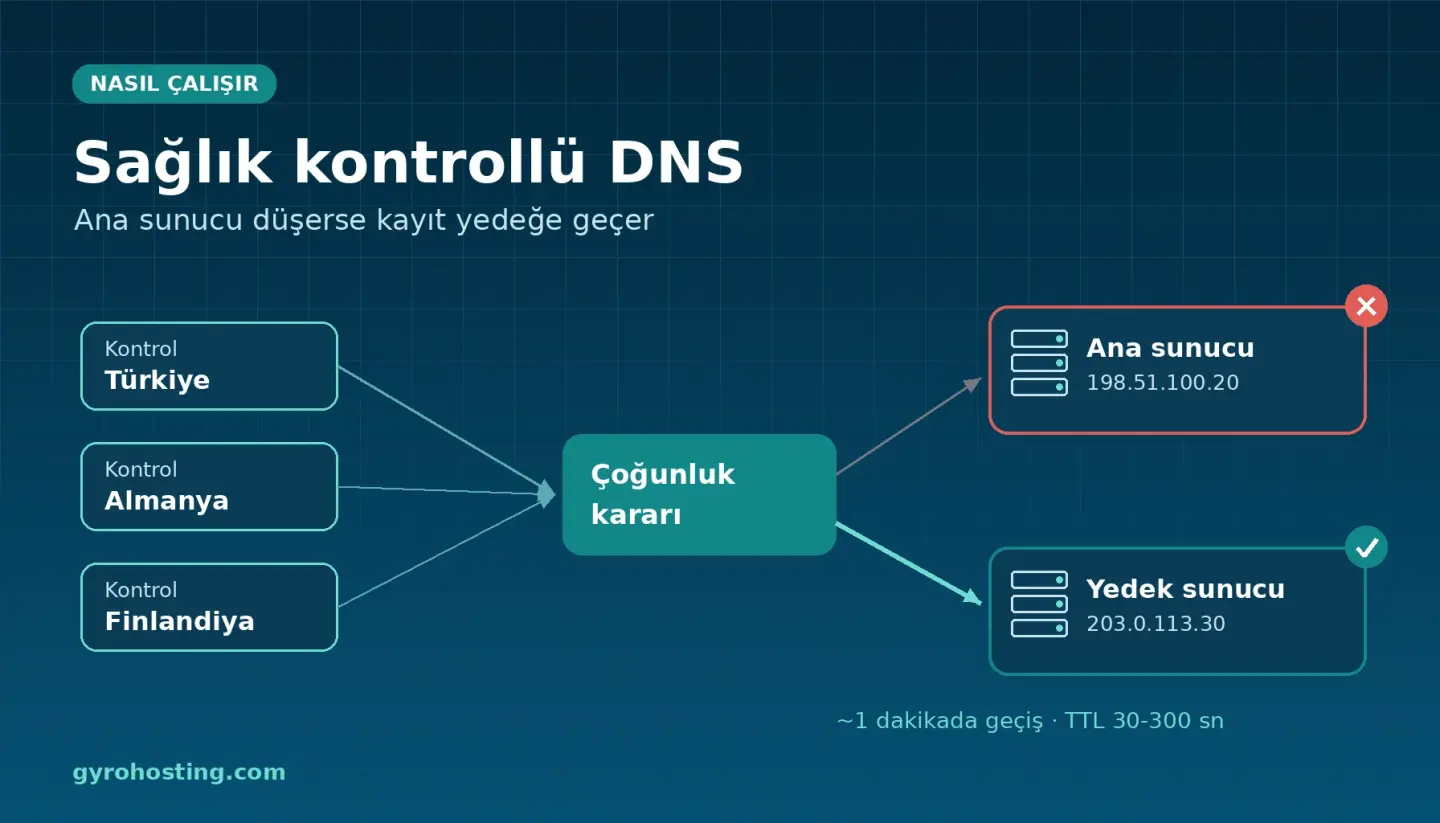
How it works
- Primary and backup IP: you set a primary and a backup address for an A or AAAA record. Normally the record returns the primary.
- Checks from three locations: the primary is checked every minute from Türkiye, Germany and Finland, over HTTP, HTTPS, TCP or ping, with an optional port and path.
- Majority decision: a network problem at one location does not trigger a false switch.
- Failover: once the primary is marked down, the record switches to the backup in about a minute.
- Failback: after three successful checks in a row, the record returns to the primary.
Why TTL matters
Resolvers cache answers for the record's TTL. For health-checked records you can choose 30 to 300 seconds. 60 seconds is a sensible default for most sites.
Honest limits
- Not instant: detection takes about a minute, and resolvers may keep the old answer until the TTL expires; some ignore very short TTLs.
- Open connections are not moved to the backup.
- No data sync: keeping the backup server up to date is your responsibility.
- No email notification: follow switches in the client area.
How is it different from a load balancer?
Health-checked DNS is a simple primary/backup switch and depends on DNS caching. The Gyro Cloud Load Balancer spreads traffic across several servers behind one IP and takes an unhealthy server out of rotation based on its health check settings, independent of DNS caches.
Set it up
Add the health-checked record add-on to your Gyro DNS service (€0.99 per check per month, excl. VAT) and create the record in the client area, or from the CLI:
gyro dns health create 789 --zone example.com --name www --type A \
  --primary 198.51.100.20 --backup 203.0.113.30 \
  --check https --port 443 --path /health --ttl 60
gyro dns health list 789
Comments0
No Comments Yet
Be the first to share your thoughts.
Please sign in or sign up to leave a comment.