


Gyro Pipeline: build and deploy your containers automatically on git push
No more building the image by hand, pushing it to the registry and then switching the service to the new version. Gyro Pipeline is live for Gyro Containers (ECS): connect your repository once and every git push is built and deployed automatically.
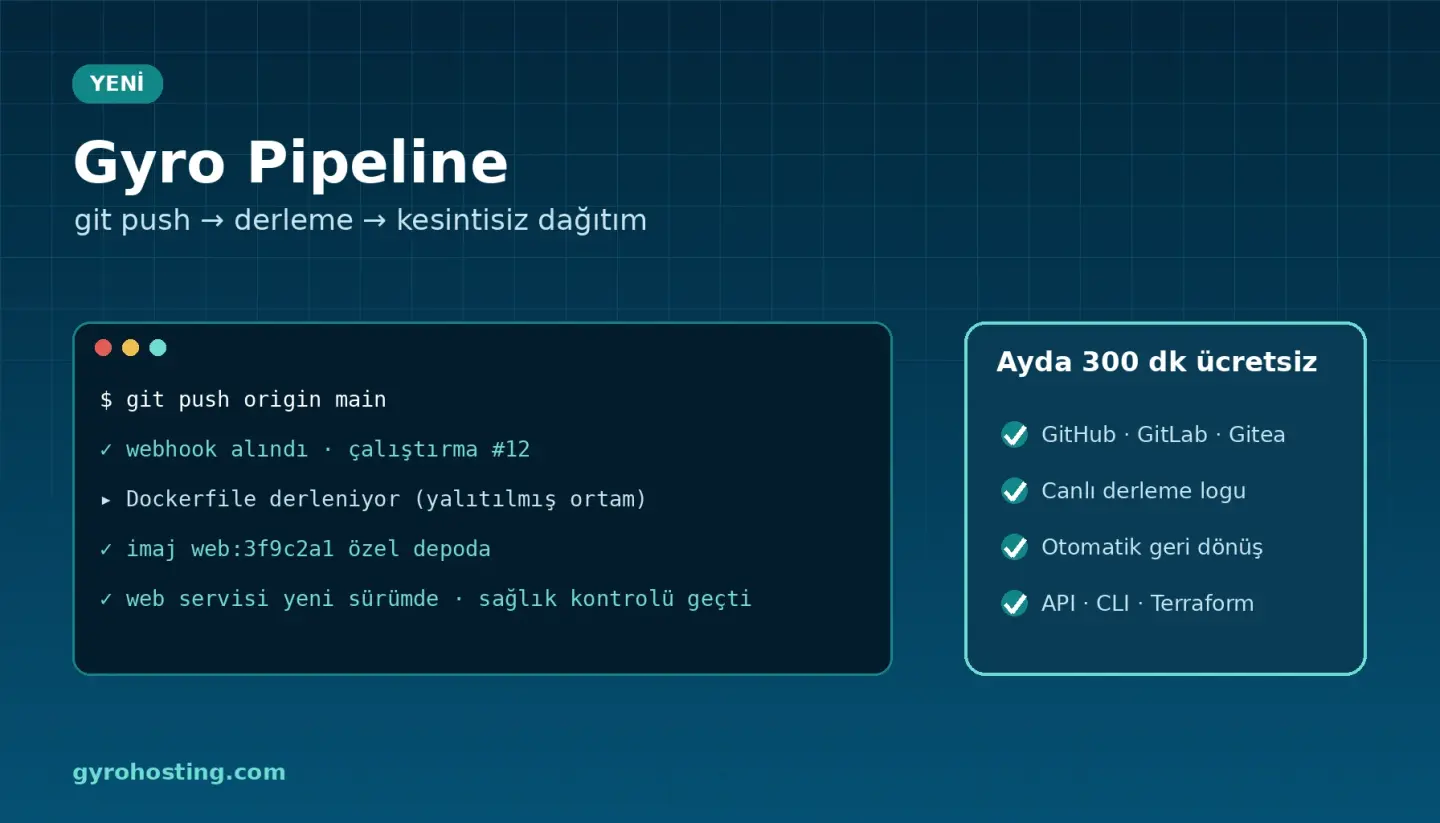
How it works
- Connect the repository: GitHub, GitLab, Gitea / Forgejo or any git server reachable over https. A read-only token is enough for private repositories; it is stored encrypted and never shown in any screen or log.
- Add the webhook: paste the URL and secret from the panel into the repository's webhook settings.
- Push: your code is built from its Dockerfile in an isolated build environment and the image goes to your environment's private registry as
<image>:<commit>. - Zero-downtime deploy: the services you choose switch to the new image instance by instance. If the new version fails its health check, the service goes back to the previous version automatically.
Highlights
- Live build log: follow fetch, build commands and image build in the panel; secrets appear as
****. - Branch and tag rules: e.g.
main,release/*orv*tags. - Test step: commands such as
npm ci,npm testbefore the Dockerfile; build secrets are given to this step only. - Optional approval: require approval before deploying; redeploy an earlier version in one click.
- Notifications: failed, rolled back and waiting for approval by e-mail, SMS, Telegram or signed webhook.
- Pricing: 300 build minutes per environment per month are free.
Keep the settings with your code
Put gyro-pipeline.yml in the repository root and the settings are read from there:
image: web
build:
  image: node:22-alpine
  commands:
    - npm ci
    - npm test
deploy:
  services: [web]
  rollback: true
API, CLI and Terraform
gyro container pipeline create 12345 --name web --repo https://github.com/kurum/uygulama \
  --image web --targets web --branch main
gyro container pipeline run 12345 p1a2b3c4d --ref main
gyro container pipeline logs 12345 r0abcdef12345
resource "gyro_container_pipeline" "web" {
  service_id = 12345
  name       = "web"
  repo       = "https://github.com/kurum/uygulama"
  image      = "web"
  targets    = ["web"]
}
Gyro API 2.23.0 (/cloud/containers/{id}/pipelines), the gyro CLI v1.25.0 and Terraform provider 0.23.0 (gyro_container_pipeline). Sample repository to try: Gyro-Hosting/gyro-pipeline-ornek.
Step by step: the Gyro Pipeline guide.
Comments0
No Comments Yet
Be the first to share your thoughts.
Please sign in or sign up to leave a comment.