


Mount storage on your server: your Object Storage bucket is now a folder on the server
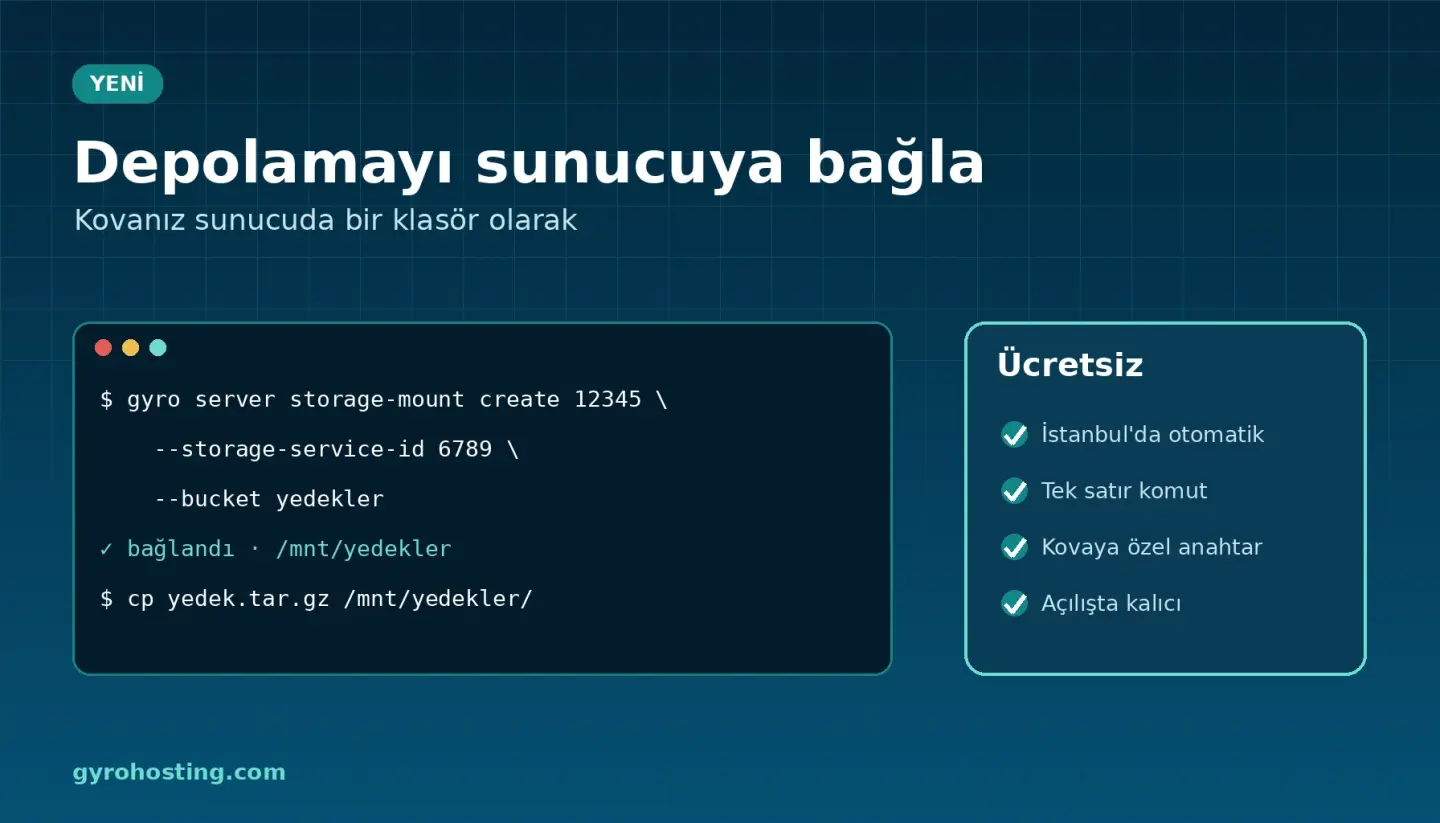
Want to keep backups, user uploads or large media files in Gyro Object Storage instead of the server disk, without changing your application for S3? The new Mount storage feature does exactly that: your bucket shows up on your server as a normal folder such as /mnt/backups.
How it works
- One click: on your server's service page open Mount storage and choose your storage service, the bucket and the mount point.
- Automatic on Gyro Cloud Istanbul: the mount is set up within seconds. On Gyro Cloud, Turkey VDS and dedicated servers the panel gives a one-line, single-use command you run once on the server.
- A key per bucket: every mount uses its own access key that can only reach the chosen bucket (read-only or read/write). It does not use your key limit and is deleted with the mount.
- Persistent: the mount comes back after a reboot; renaming the bucket does not break it.
- Free: only your storage service's space and traffic are used.
- Protected Storage too: read-only by default; if you choose read/write the panel warns you, because every write becomes a new version, every delete a delete marker, and the used space grows.
From the command line
gyro server storage-mount create 12345 \
  --storage-service-id 6789 --bucket backups --mount-point /mnt/backups
cp backup-2026-11-13.tar.gz /mnt/backups/
The same works with the API (POST /cloud/servers/{id}/storage-mounts) and Terraform (gyro_server_storage_mount).
Where to use it
- Writing nightly backups straight to the bucket (
tar,mysqldump, application backups). - Moving user uploads and media archives off the server disk.
- Sharing the same files read-only with several servers.
It is not meant for database files or files that change constantly in small pieces; it is ideal for backups, archives and media. Details: the Mount an Object Storage bucket on your server guide. Product page: Object Storage.
Comments0
No Comments Yet
Be the first to share your thoughts.
Please sign in or sign up to leave a comment.